R-Tools R-Drive Image v7.3 Build 7314 BootCD {CracksHash}
About R-Tools R-Drive Image v7.3 Build 7314 BootCD {CracksHash}
Overview
Visit for more apps - CracksHash R-Tools R-Drive Image v7.3 Build 7314 BootCD {CracksHash} R-Drive Image is a potent utility providing disk image files creation for backup or duplication purposes. A disk image file contains the exact, byte-by-byte copy of a hard drive, partition or logical disk and can be created with various compression levels on the fly without stopping Windows OS and therefore without interrupting your business. These drive image files can then be stored in a variety of place
Frequently Asked Questions
How do I download R-Tools R-Drive Image v7.3 Build 7314 BootCD {CracksHash}?
Click the magnet or torrent download button on this page to start downloading R-Tools R-Drive Image v7.3 Build 7314 BootCD {CracksHash}. A BitTorrent client is required.
What is the file size of R-Tools R-Drive Image v7.3 Build 7314 BootCD {CracksHash}?
The total size of R-Tools R-Drive Image v7.3 Build 7314 BootCD {CracksHash} is 87.2 MB.
How many seeders are available for R-Tools R-Drive Image v7.3 Build 7314 BootCD {CracksHash}?
R-Tools R-Drive Image v7.3 Build 7314 BootCD {CracksHash} currently has 20718 seeders, which affects download speed.
What category is R-Tools R-Drive Image v7.3 Build 7314 BootCD {CracksHash} in?
R-Tools R-Drive Image v7.3 Build 7314 BootCD {CracksHash} is listed under Applications on 1337x.
Visit for more apps - CracksHash

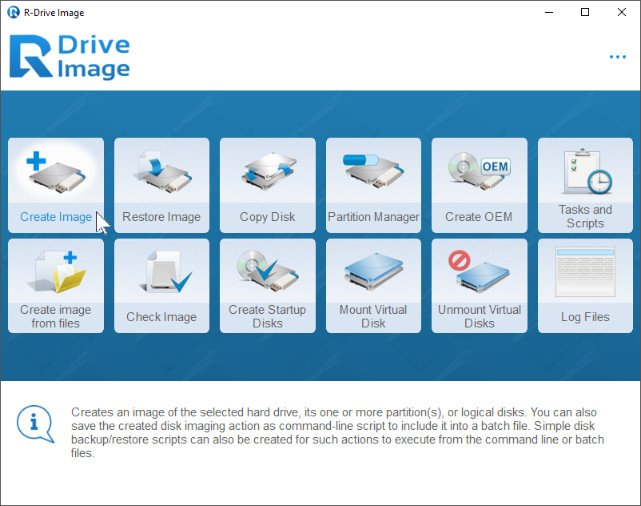
R-Tools R-Drive Image v7.3 Build 7314 BootCD {CracksHash}
R-Drive Image is a potent utility providing disk image files creation for backup or duplication purposes. A disk image file contains the exact, byte-by-byte copy of a hard drive, partition or logical disk and can be created with various compression levels on the fly without stopping Windows OS and therefore without interrupting your business. These drive image files can then be stored in a variety of places, including various removable media such as CD-R(W)/DVD, Iomega Zip or Jazz disks, etc.
R-Drive Image restores the images on the original disks, on any other partitions or even on a hard drive's free space on the fly. To restore system and other locked partitions R-Drive Image is switched to the pseudo-graphic mode directly from Windows or bootable version created by the utility is launched from CD disc or diskettes.
Using R-Drive Image, you can completely and rapidly restore your system after heavy data loss caused by an operating system crash, virus attack or hardware failure. You can also use R-Drive Image for mass system deployment when you need to setup many identical computers. In other words, you can manually setup one system only, create an image of the system, and then deploy it on all other computers, saving your time and costs. If you need to restore only certain files from a disk image, you can connect that image as a virtual disk and copy those files directly from the disk image using Windows Explorer or any other file utility.
R-Drive Image is one of the best backup and disaster recovery solutions to prevent losing your data after a fatal system failure.