Windows Password Recovery Tool Ultimate v8.5.1.0 + Fix {CracksHas...
About Windows Password Recovery Tool Ultimate v8.5.1.0 + Fix {CracksHas...
Overview
Visit for more apps - CracksHash Windows Password Recovery Tool Ultimate v8.5.1.0 + Fix {CracksHash} Windows Password Recovery Tool Ultimate can help you to reset Microsoft Account lost password, Windows local or domain account password, create a new administrator account in a speedy way without any data loss or leaking of private information. 3 Steps to Reset Your Password 1. Download and install the application. 2. Create Bootable Disk with ISO Image. 3. Reset/Remove Windows Password. Features
Features
How It Works Windows Password Recovery Tool can reset or remove Windows password, remove admin account and create new account for all computer users
Frequently Asked Questions
How do I download Windows Password Recovery Tool Ultimate v8.5.1.0 + Fix {CracksHas...?
Click the magnet or torrent download button on this page to start downloading Windows Password Recovery Tool Ultimate v8.5.1.0 + Fix {CracksHas.... A BitTorrent client is required.
What is the file size of Windows Password Recovery Tool Ultimate v8.5.1.0 + Fix {CracksHas...?
The total size of Windows Password Recovery Tool Ultimate v8.5.1.0 + Fix {CracksHas... is 50.3 MB.
How many seeders are available for Windows Password Recovery Tool Ultimate v8.5.1.0 + Fix {CracksHas...?
Windows Password Recovery Tool Ultimate v8.5.1.0 + Fix {CracksHas... currently has 23668 seeders, which affects download speed.
What category is Windows Password Recovery Tool Ultimate v8.5.1.0 + Fix {CracksHas... in?
Windows Password Recovery Tool Ultimate v8.5.1.0 + Fix {CracksHas... is listed under Applications on 1337x.
Visit for more apps - CracksHash

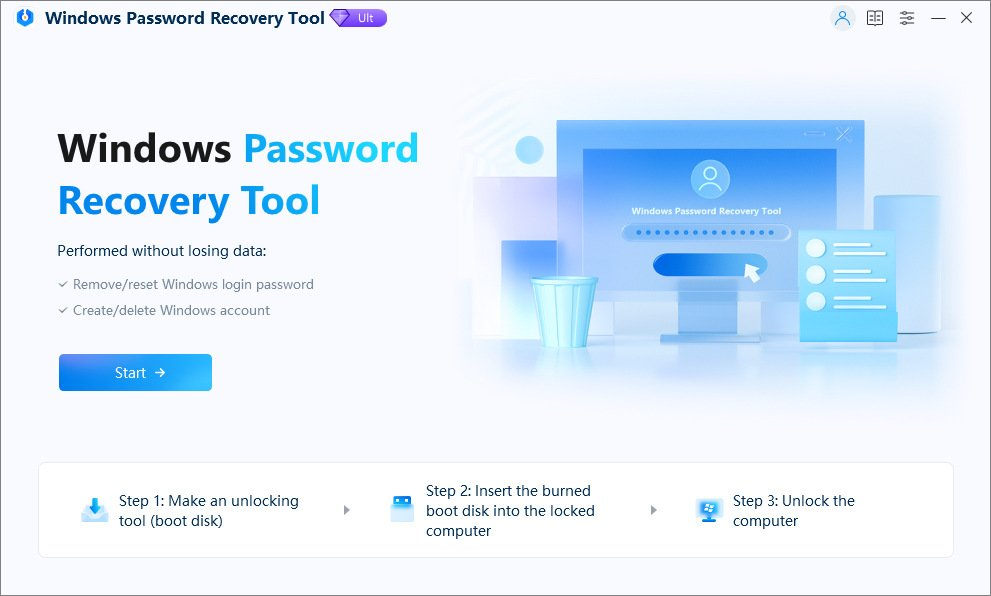
Windows Password Recovery Tool Ultimate v8.5.1.0 + Fix {CracksHash}
Windows Password Recovery Tool Ultimate can help you to reset Microsoft Account lost password, Windows local or domain account password, create a new administrator account in a speedy way without any data loss or leaking of private information.
3 Steps to Reset Your Password
1. Download and install the application.
2. Create Bootable Disk with ISO Image.
3. Reset/Remove Windows Password.
Features :-
How It Works
Windows Password Recovery Tool can reset or remove Windows password, remove admin account and create new account for all computer users.
Reset Local User's Password
- Administrator Account: Reset or remove Windows administrator password for your local account.
- Microsoft Account: Change your Microsoft account (Windows Live) password offline with Windows Password Recovery Tool Ultimate.
- Guest Account: Remove or reset Windows local guest password for your user account.
Remove Domain User's Password
- Administrator Account: Remove or change domain administrator (Active Directory) and other user passwords.
- Create Account: Create a new domain admin account if someone hacked your previous one.
4 Professional Password Recovery Solutions
Windows Password Recovery Tool will automatically display all Windows systems that you have installed in your PC.
- Remove Password: You will login computer without password.
- Reset/Change Password: Your will login Windows 7/8/10 with new password.
- Create New Local/Admin account: You will enter your computer with new administrator/local account.
- Manage All Login Accounts: You can deleted all the login accounts, keep you computer only your account.
Instructions and Fix are provided in the files
Virus Total links -
Setup - https://www.virustotal.com/gui/file/b43353100f06aa2c7dac75bb5700c21cb55a2d1db57661761112944c9b6e0aed
Crack - https://www.virustotal.com/gui/file/1c0f37be2ed37aa9f417440732a37aeb574983d58c73d3f439d8d1dd97601eb0