Fast Video Cutter Joiner 7.2.3 Multilingual [pac]
About Fast Video Cutter Joiner 7.2.3 Multilingual [pac]
Overview
Editing video data can be done in numerous ways, and thanks to the latest advancements in software and online services, cutting, trimming, joining or editing video content has become easier than ever. Fast Video Cutter Joiner aims at offering users a simple, clutter-free desktop solution for either cutting individual video files, or, joining multiple together, therefore making resorting to more complex software or online services not required. Right from the start, we find out quite quickly that
System Requirements
Windows 11/10/8/7 (32/64 bit) https://www
Frequently Asked Questions
How do I download Fast Video Cutter Joiner 7.2.3 Multilingual [pac]?
Click the magnet or torrent download button on this page to start downloading Fast Video Cutter Joiner 7.2.3 Multilingual [pac]. A BitTorrent client is required.
What is the file size of Fast Video Cutter Joiner 7.2.3 Multilingual [pac]?
The total size of Fast Video Cutter Joiner 7.2.3 Multilingual [pac] is 23.0 MB.
How many seeders are available for Fast Video Cutter Joiner 7.2.3 Multilingual [pac]?
Fast Video Cutter Joiner 7.2.3 Multilingual [pac] currently has 25732 seeders, which affects download speed.
What category is Fast Video Cutter Joiner 7.2.3 Multilingual [pac] in?
Fast Video Cutter Joiner 7.2.3 Multilingual [pac] is listed under Applications on 1337x.
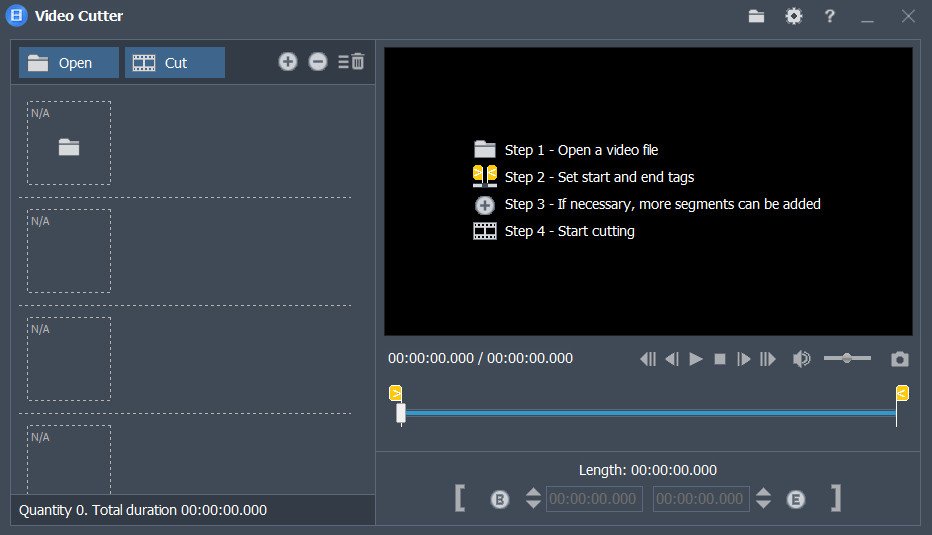
Editing video data can be done in numerous ways, and thanks to the latest advancements in software and online services, cutting, trimming, joining or editing video content has become easier than ever. Fast Video Cutter Joiner aims at offering users a simple, clutter-free desktop solution for either cutting individual video files, or, joining multiple together, therefore making resorting to more complex software or online services not required.
Right from the start, we find out quite quickly that the app is centered on simplicity, and users have an easy choice to make, by selecting to either cut or, join videos. The design, as well as the layout of the interface, isn’t elaborate, but we didn’t feel that this aspect impeded the app’s functionality in any way.
Adding files and initializing the processing is quite straightforward, meaning that even novices won’t have any issues.
When it comes to selecting the cutting or joining types, users have a bit more flexibility, in the sense that the application offers two modes, a simple, and a more advanced one. The latter will enable one to select parameters that pertain to the characteristics of the output videos, such as format, as well as audio characteristics.
Last but not least, it is fair to mention that Fast Video Cutter Joiner does come equipped with minor playback capabilities, in the form of a rudimentary player, which allows users to preview the loaded video content.
Simple in design, and even simpler in handling, Fast Video Cutter Joiner can provide average performance for the user who seeks a way of quickly cutting or joining video clips.
Whats New
Updates: official site does not provide any info about changes in this version
System Requirements:
Windows 11/10/8/7 (32/64 bit)
https://www.virustotal.com/gui/file/c1053ae5575377ad4e9d4bc6fca99a1ec7829af8e19394bb356c48ca5f9ddfa4
https://www.virustotal.com/gui/file/2052453abe1b016c7213b68a0e7a52f7c7f38ef6f34d4a773aaf93ae7c3ed612